Turn interest into a booked appointment. With osiro.schedule, prospects book right in your funnel – without the email back-and-forth. Your team gains time for the conversations that matter.
Try free for 14 days · No credit card required
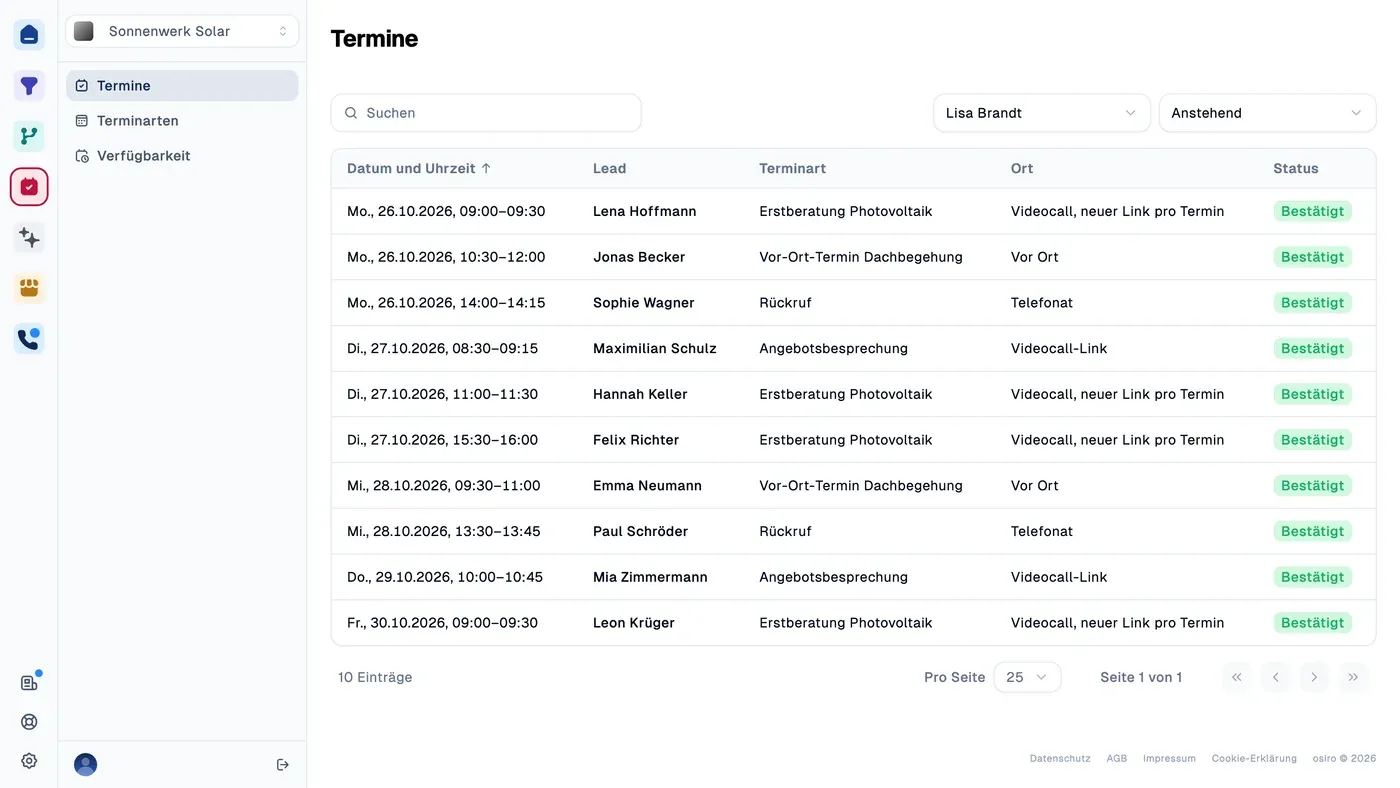
Your team shouldn't have to hunt for information before a call. In osiro.schedule, you see who has booked and when. One click takes you to the contact and their funnel answers, so you can start with what matters to them.

An enquiry is not yet a conversation. When the next step is unclear, your team has to follow up – and the prospect has to wait.
Suggest a time, wait for a reply, ask again. Each of these tasks takes time your team could spend talking to customers.
Someone who has just enquired wants to move forward. If they have to wait for a callback, they don't know when their interest will become a conversation.
Is that slot really free? Is there enough time before the next meeting? Checking every booking by hand creates work and makes conflicts easier to miss.
An appointment can slip someone's mind. Without a reminder or an easy way to reschedule, your team may end up waiting for someone who never arrives.
You decide when and how meetings happen. Prospects choose a time that suits them. Booking, confirmation and contact details stay in one process.
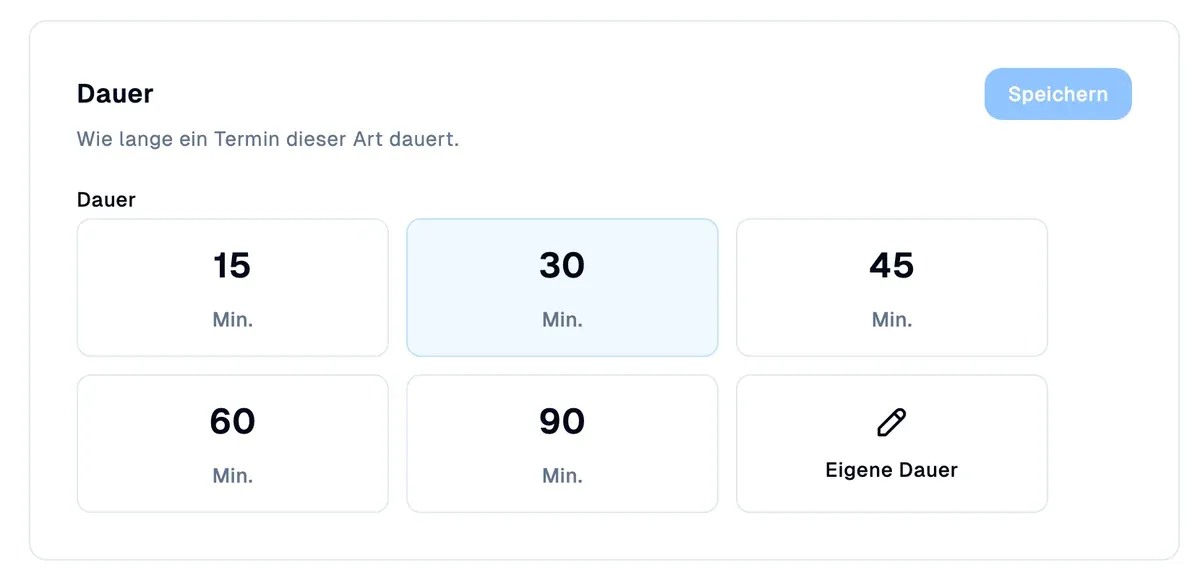
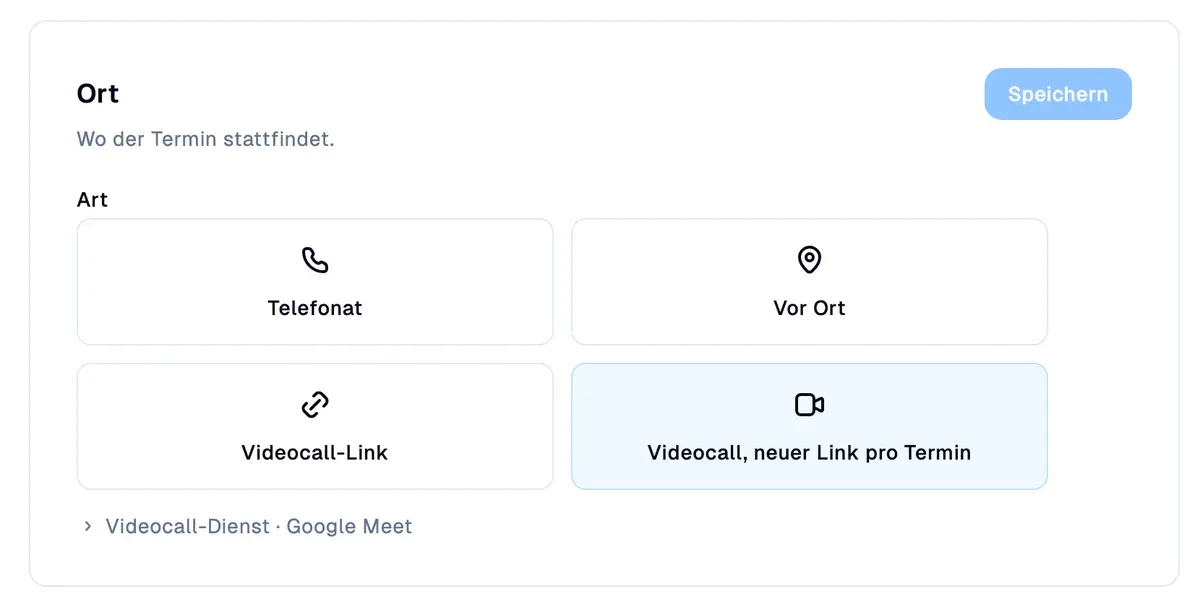
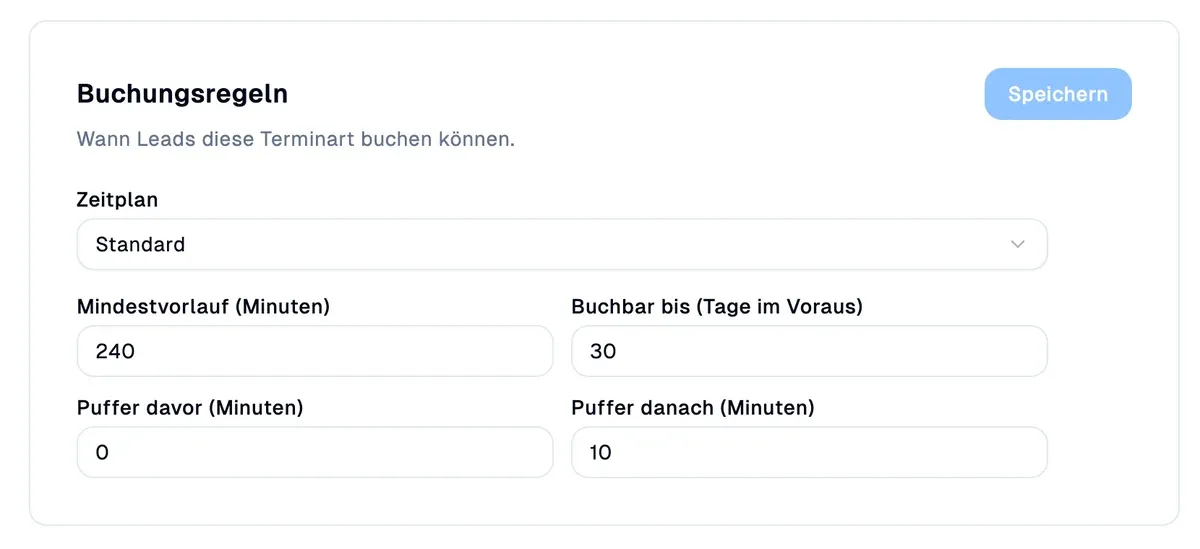
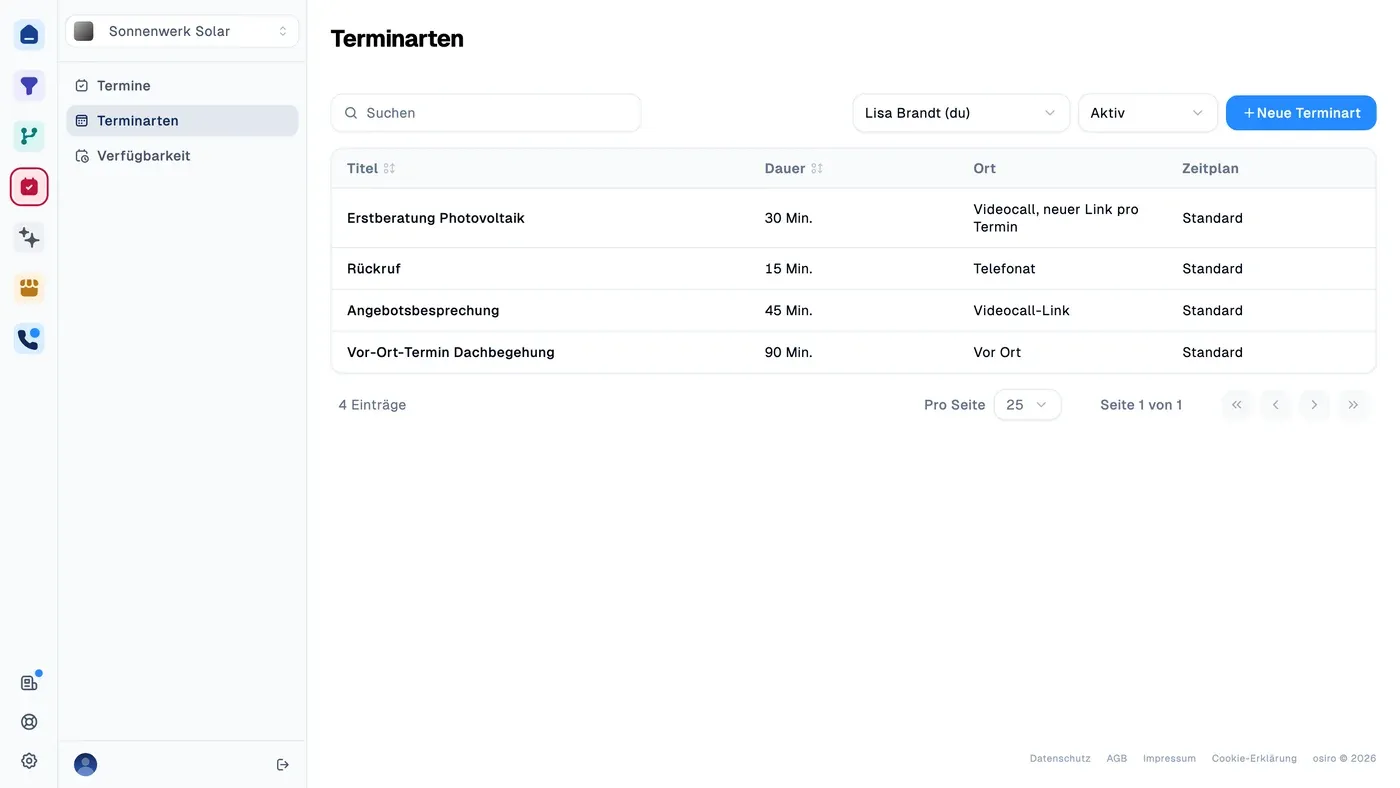
A quick callback needs less time than a detailed consultation. Set the duration, location and buffers for each appointment type so your calendar fits your working day.

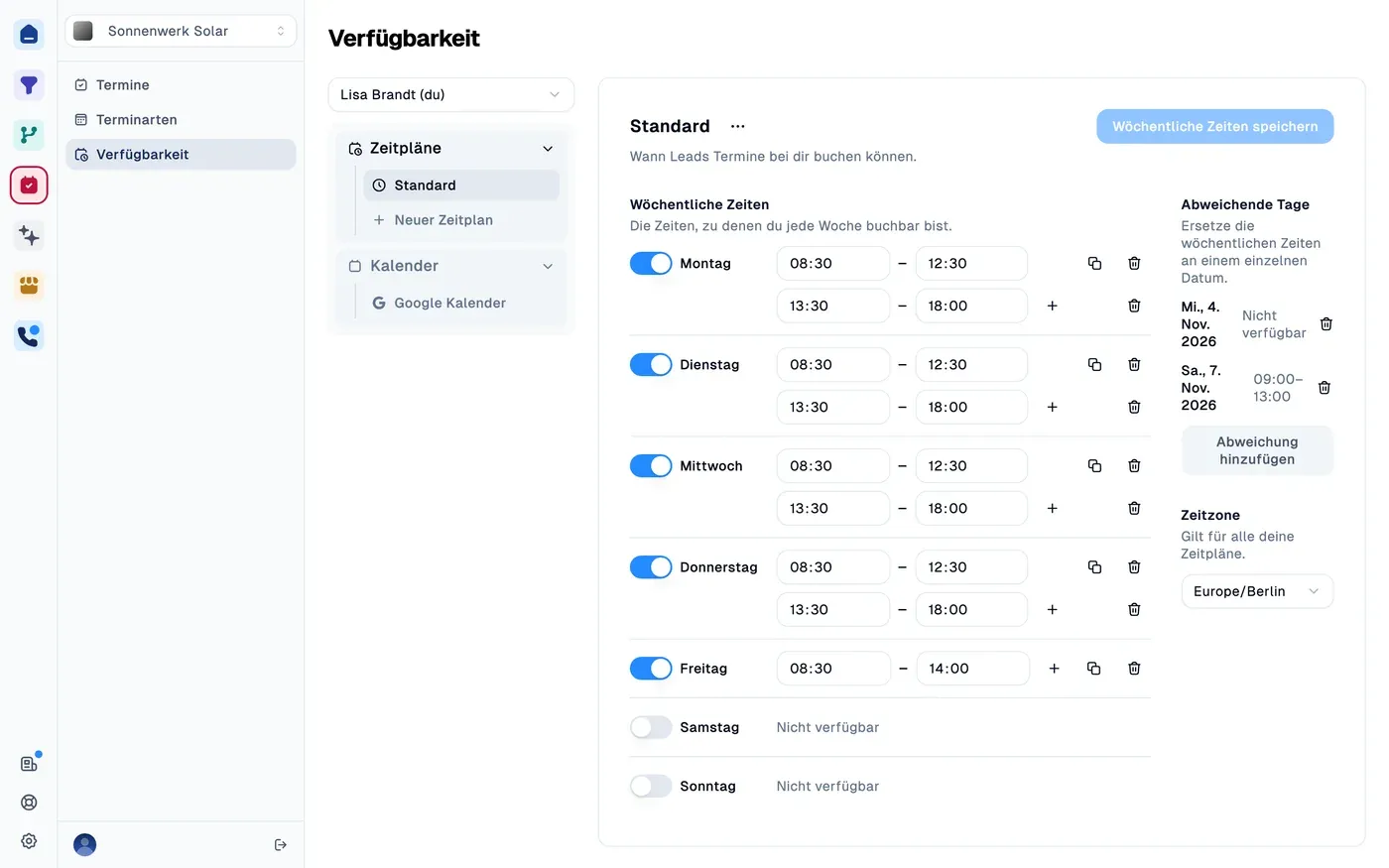
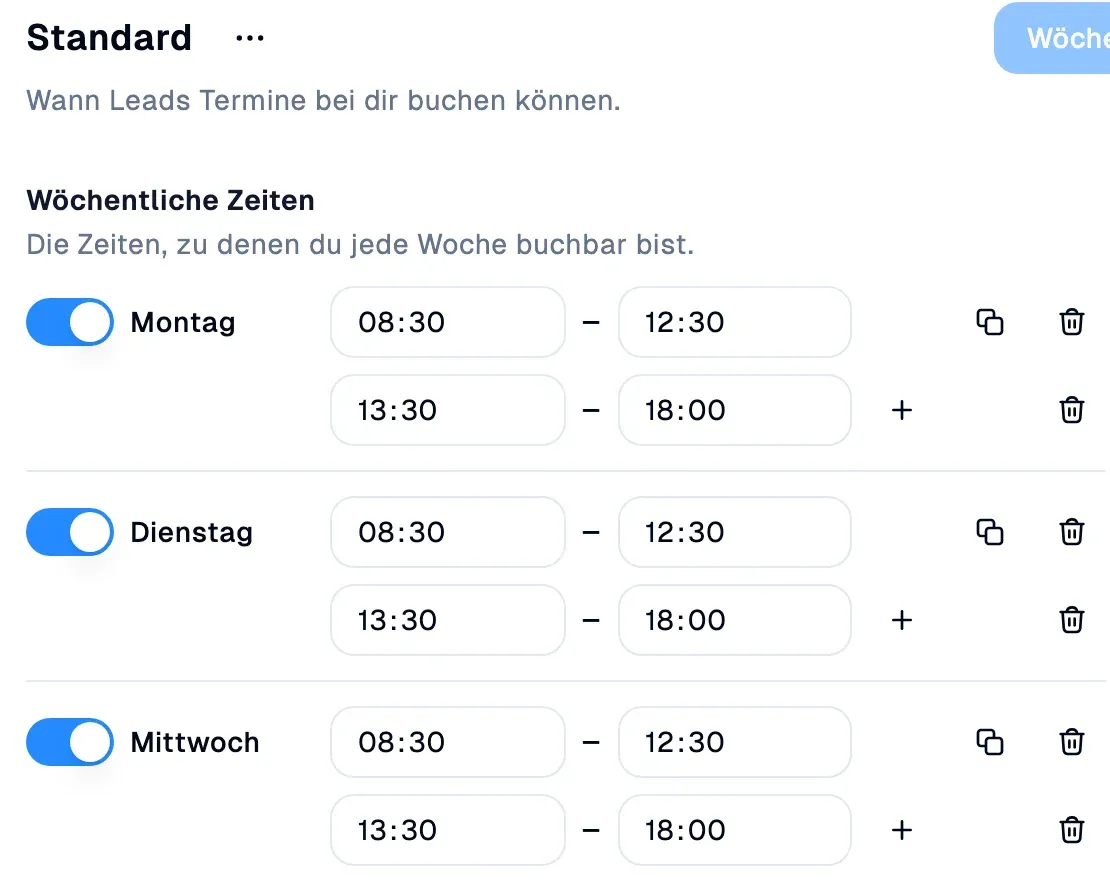
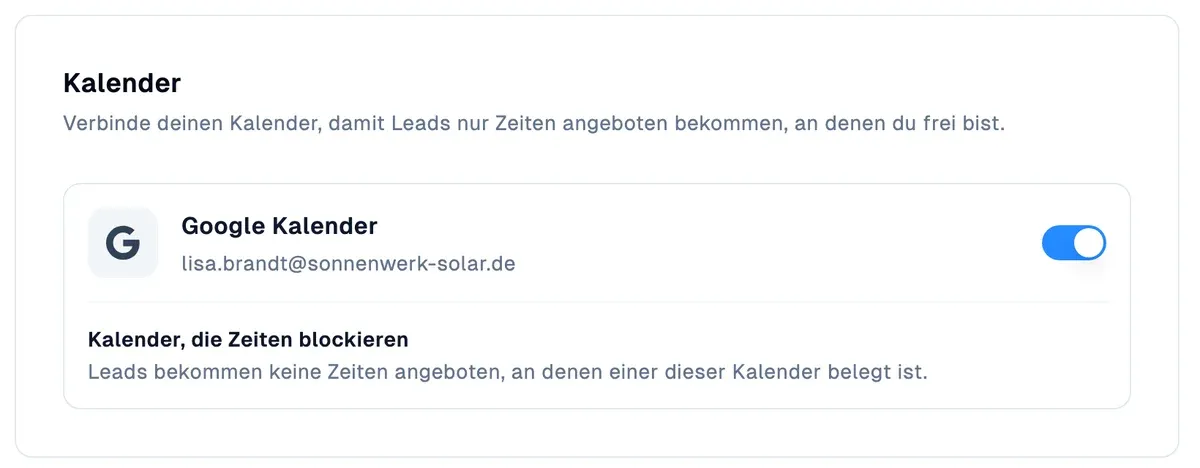
Plan meeting hours, breaks and exceptions for holidays or special appointments. A connected Google Calendar blocks busy times, saving you a manual check for every enquiry.

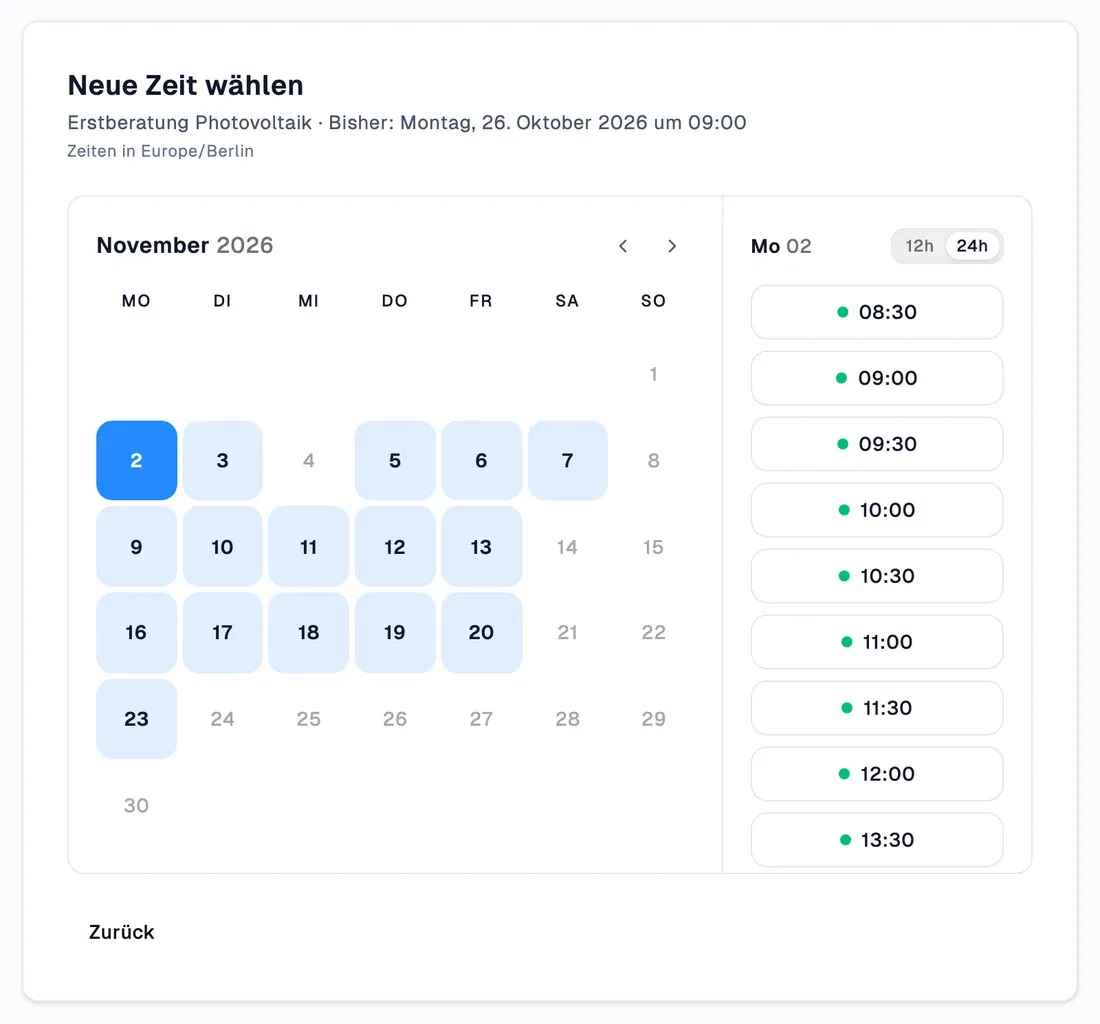
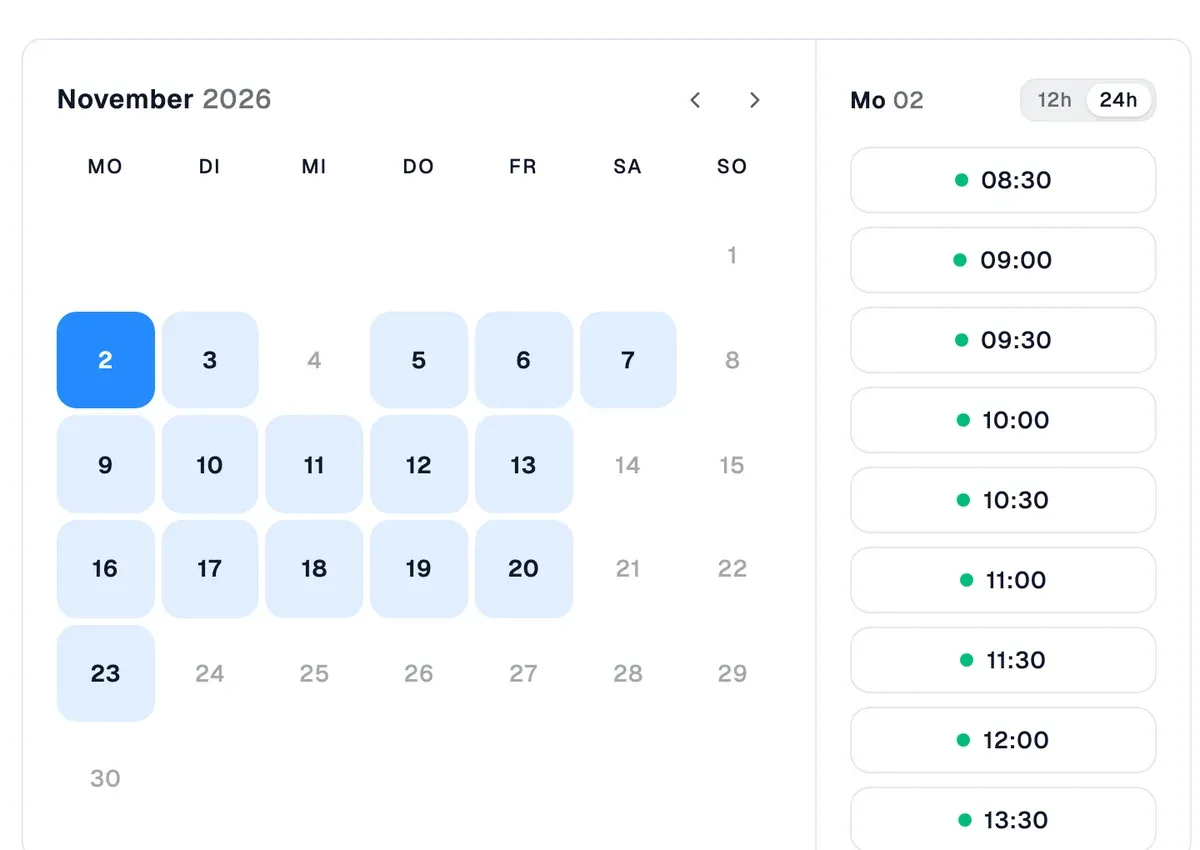
Prospects choose a free time right in the funnel, on their phone and in their own time zone. No waiting for a callback or switching to another booking page.

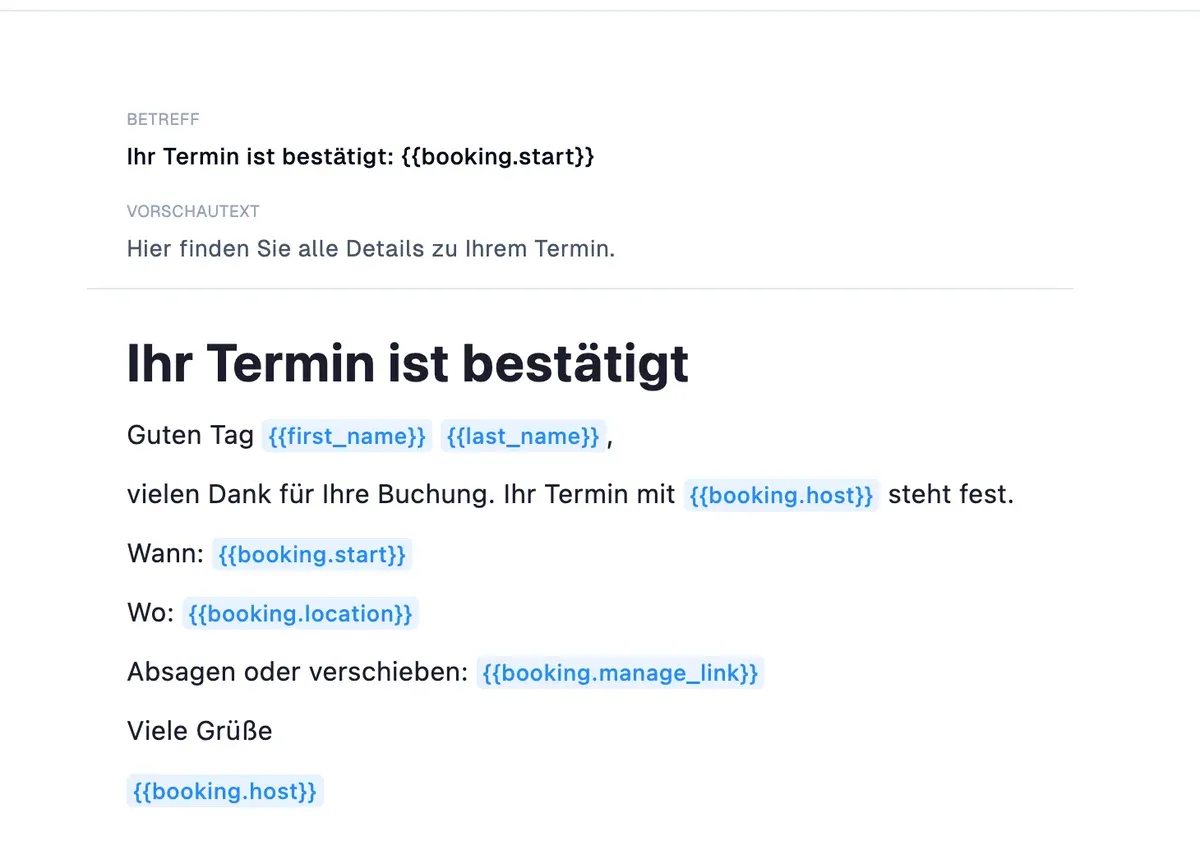
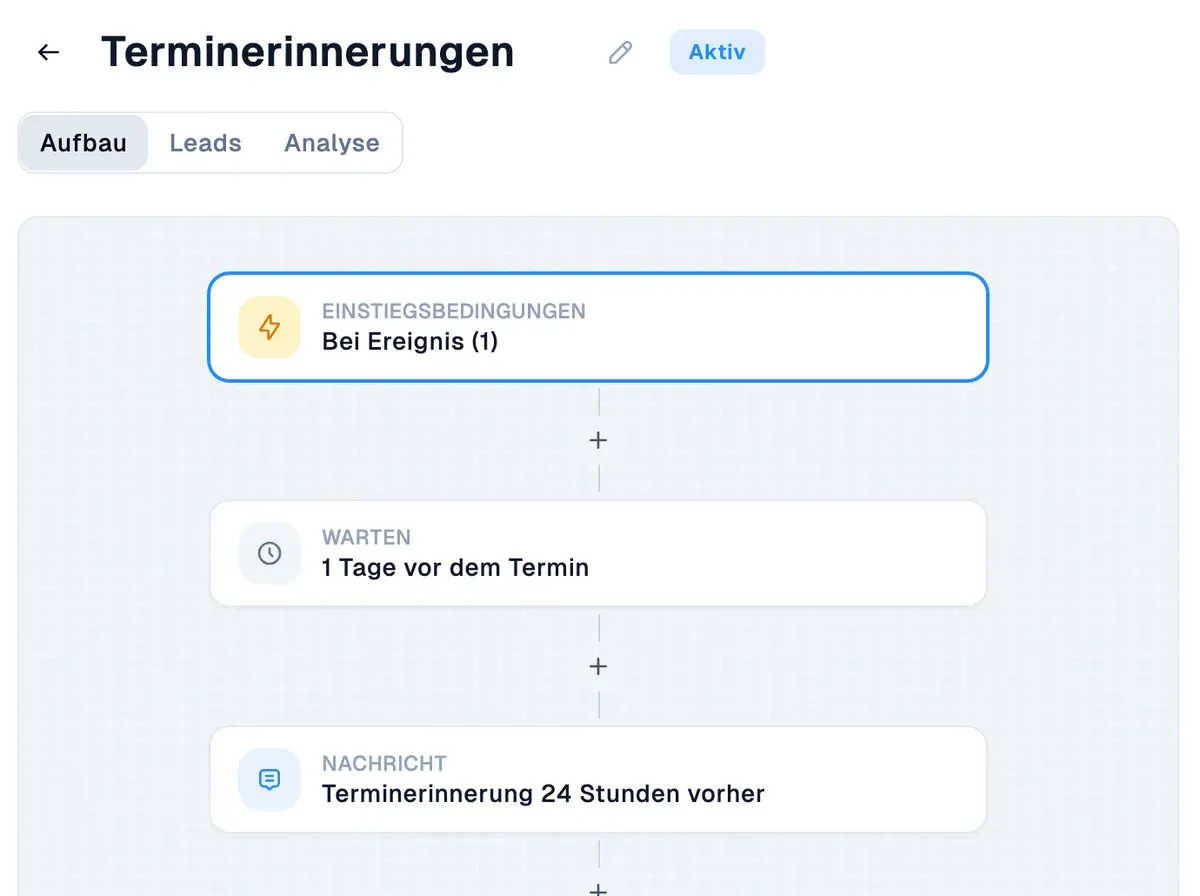
Your prospect receives a confirmation. Your team sees the appointment and funnel answers in osiro.hunter. Set up a reminder flow to keep the appointment in mind without following up yourself.

From available slots to reminders, osiro handles the recurring steps. You stay in control of your calendar.
Your prospect answers the funnel questions, then picks an appointment. The next step is clear while their interest is fresh, without opening another page.

A 15-minute callback or an hour of advice? Give each appointment type its own duration, location and buffers, so each conversation has the space it needs.

Offer appointments during your meeting hours. Breaks, holidays and special dates are accounted for, without having to explain your schedule to every prospect.

Your connected Google Calendar blocks busy times from new bookings. New appointments are added automatically, saving you from checking two calendars by hand.

With a connected Google account, each booking gets its own Google Meet link. You don't have to create it separately. For other video services, you can add a fixed link.

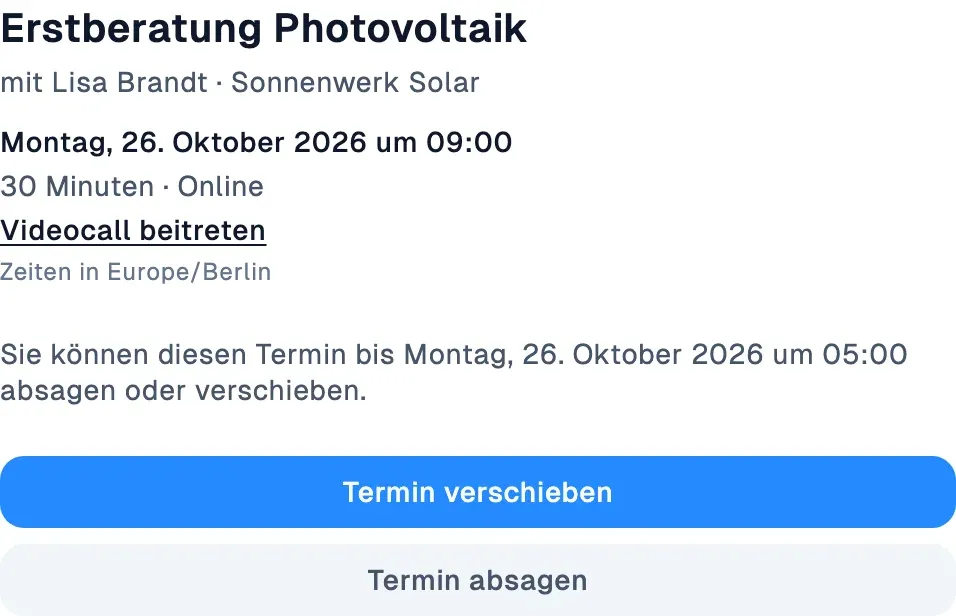
The confirmation brings together the time, location and a calendar invite. Your prospect can save the appointment and find the details again without asking your team.

A reminder flow keeps the appointment in mind by email, for example the day before and an hour ahead. Set the wording and timing in osiro.flow, then let the reminders run automatically.

The confirmation link lets prospects reschedule or cancel themselves. Your team no longer has to find a replacement time. You decide how much notice is required.

When someone books, osiro.hunter assigns the contact to the host and sets the follow-up for the appointment. Your team can see who is responsible and when the conversation is due.
Leave time to prepare and wrap up. Buffers and minimum notice stop bookings from filling your day back-to-back or arriving at the last minute.
Connect booking with qualification, contact management and follow-ups. Your team won't have to gather the same information again at every step.
Ask about needs, budget or timing in the funnel before someone books. You can assess whether your offer fits and prepare a more focused conversation.
In osiro.hunter, funnel answers and meeting outcomes stay with the contact. Record what you agreed and plan the next step, even if a colleague takes over.
Set up reminders before appointments and follow-ups afterwards in osiro.flow. Email and WhatsApp keep prospects informed while your team handles the next conversations.
osiro.autopilot helps you create landing pages, funnels and copy, so you can get your appointment booking journey up and running sooner.
Will osiro.schedule fit your working day? Find answers about calendars, teams and managing appointments.
Let prospects book their own appointments. Your team saves time on coordination and starts each conversation with the right information.
Cancel monthly · GDPR-compliant · ISO 27001 certified